Essential Data Privacy Tips for Protecting Your Personal Information Online
Data privacy means controlling who can access and use your personal information, and protecting that data from unauthorized exposure or misuse. Protecting personal information online reduces the risk of identity theft, limits the reach of targeted profiling, and preserves control over your digital footprint; this article focuses on practical online privacy protection and digital footprint management techniques you can implement immediately. You will learn prioritized privacy tips, identity theft prevention strategies, secure internet browsing practices, and a repeatable personal data protection routine that fits everyday life. The guidance below draws on current research and practical mechanisms—encryption, two-factor authentication, privacy settings, and monitoring—to show how each control reduces exposure and what to do when incidents occur.
What Are the Most Effective Online Privacy Tips to Safeguard Your Data?
Effective online privacy protection combines habit changes, technical controls, and selective disclosure of data to reduce exposure across services. These measures work because they limit attack surface, make data harder to misuse, and create early detection opportunities; the result is lower risk of fraud and better digital footprint management. The list below prioritizes immediate actions you can take to harden accounts and devices, and it uses semantic relations such as passwords → protect → accounts and encryption → conceals → traffic to clarify mechanisms. Apply these steps in order of impact and maintain them regularly to sustain protection.
The most effective privacy tips you can implement today:
- Limit Public Data: Remove unnecessary personal fields and set profiles to private to reduce searchable personal information.
- Use Unique Passwords: Create long, unique passwords for each account and store them in a password manager.
- Enable Two-Factor Authentication: Add a second verification factor to critical accounts to block most remote compromises.
- Update and Patch: Keep operating systems, browsers, and applications current to close known vulnerabilities.
These four priorities produce immediate risk reduction and form the foundation for longer-term practices such as monitoring and incident response.
Intro to quick-action summary table: The table below condenses the tips into actionable items, where each action maps to where to apply it and the expected time-to-complete or impact level.
| Action | Where to Do It | Time to Complete / Impact |
|---|---|---|
| Limit profile visibility | Social accounts, online directories | 5–15 minutes / High |
| Unique passwords | All online accounts via password manager | 30–60 minutes initial / High |
| Two-Factor Authentication | Email, banking, social, cloud services | 5–10 minutes per account / High |
| Software updates | Device OS and apps | 10–20 minutes / Medium-High |
How Can You Manage Your Privacy Settings on Social Media Platforms?
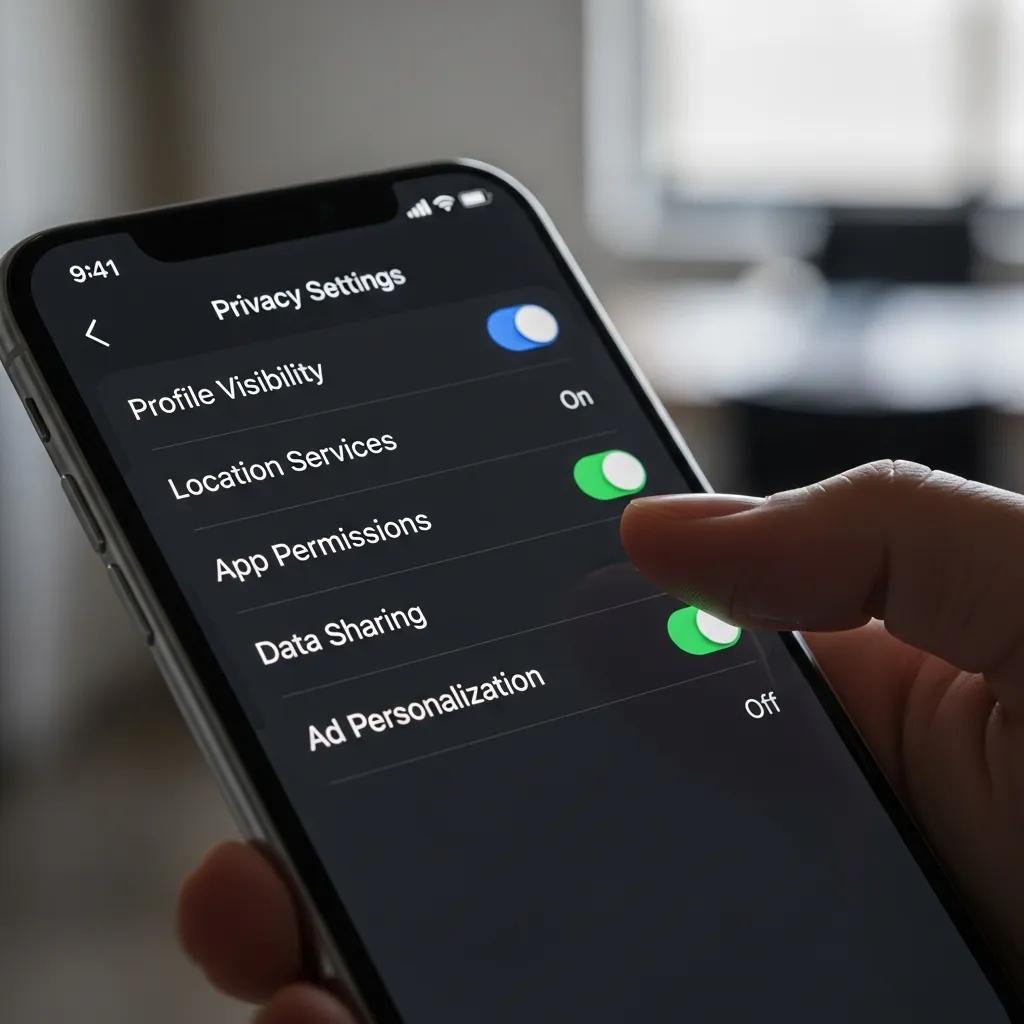
Privacy settings are the first line of defense for your digital footprint and operate by restricting access to profile information, posts, and location data. Begin by auditing profile fields, media visibility, and search discoverability, and then tighten settings so only trusted contacts see sensitive content. Check connected apps and revoke third-party access that is unnecessary, because app permissions are a common vector for data leakage. Finally, adjust ad and tracking preferences to limit behavioral profiling and consider reducing visibility of friend lists and contact information to lower re-identification risk.
Practical checklist for social media privacy management:
- Audit Profile Fields: Remove personal identifiers you do not need to share publicly.
- Review App Permissions: Revoke access for unused or suspicious third-party apps.
- Disable Location Sharing: Turn off automatic location tags in posts and photos.
Regularly revisiting these settings ensures your profiles reflect current privacy preferences and reduces long-term data accumulation.
Which Tools Help Enhance Your Personal Data Protection?
Tools amplify human controls by automating secure behaviors and encrypting sensitive flows; they include password managers, VPNs, antivirus/endpoint protection, and privacy-focused browser extensions. A password manager stores unique credentials securely and can generate long random passwords, which directly reduces credential reuse and related breaches. VPN services encrypt traffic on untrusted networks and conceal your IP address from casual observers, improving secure internet browsing. Antivirus and endpoint protection identify device compromise and stop malware that could exfiltrate personal data.
Comparison table for common privacy tools:
| Tool | Primary Function | Recommendation / Pros & Cons |
|---|---|---|
| Password Manager | Store & generate unique credentials | Recommended: simplifies unique passwords; choose reputable vaults |
| VPN | Encrypt network traffic | Use for public Wi-Fi; provider trust and speed vary |
| Antivirus / Endpoint | Detect & block malware | Essential for device protection; keep definitions current |
| Browser Privacy Extension | Block trackers & fingerprinting | Helpful for reducing first-party and third-party tracking |
This tool comparison helps you choose complementary protections: use a password manager with MFA, a VPN on public networks, and antivirus on your devices to reduce overlapping risks.
How Do Identity Theft Prevention Strategies Protect Your Personal Information?

Identity theft prevention reduces the availability and usability of personal data by minimizing exposure, detecting misuse early, and limiting an attacker’s ability to monetize stolen information. Strategies such as monitoring accounts, placing alerts and credit freezes, and following strict authentication practices interrupt common identity-theft vectors like phishing, data breaches, and social engineering. By combining proactive monitoring with quick containment steps, prevention strategies convert potential breaches into manageable incidents and often prevent financial or reputational harm. Adopt layered defenses so that if one control fails, others provide redundancy and detection.
Common signs of identity theft and monitoring actions:
- Unexpected Charges: Unknown transactions on financial statements indicate account compromise.
- Missing Bills or Mail: Lack of expected communications can signal mailbox tampering or address changes.
- Unauthorized Account Changes: Password resets, new accounts, or account lockouts are red flags.
When you observe these signs, act quickly to secure credentials and notify affected institutions to limit damage.
What Are Common Signs of Identity Theft to Watch For?
Identity theft often begins with small anomalies that escalate; spotting them early allows rapid containment and minimizes loss. Look for unfamiliar account activity, new account notices, or communication from creditors about unfamiliar debts, and treat these as immediate warnings. Sudden login attempts, password reset emails you didn’t request, or changes to contact information are practical indicators that someone may control or attempt to take over your accounts. Regularly monitoring bank statements, credit activity, and account notifications turns passive data exposure into active detection and helps you intervene before attackers complete fraudulent transactions.
Recommended immediate actions after spotting red flags include securing accounts, changing passwords, and enabling alerts to capture further unauthorized attempts without delay.
How Can You Respond Quickly to Identity Theft Incidents?
A structured incident-response checklist shortens reaction time and focuses effort on containment, remediation, and documentation to support disputes. First, secure or freeze compromised accounts and change passwords using a password manager to ensure uniqueness and strength; then contact financial institutions to report fraud and request transaction reversals. File fraud reports with credit bureaus and relevant authorities where applicable, and keep a record of communications and timelines to support recovery processes. Finally, update affected services with new credentials and monitor closely for recurring attempts, using alerts to collect evidence.
Numbered action plan for swift response:
- Secure Accounts: Change passwords and enable 2FA on affected accounts immediately.
- Contact Financial Institutions: Report fraudulent transactions and request charge reversals.
- Report and Document: File required fraud reports and maintain records for recovery efforts.
These steps reduce further exposure and speed the pathway to restoration.
What Are the Best Digital Security Practices for Secure Internet Browsing?
Secure internet browsing relies on technical checks, cautious behavior, and privacy-preserving tools to prevent data interception and theft while online. Use HTTPS and verify site certificates to ensure encrypted connections, keep browsers and plugins updated to close vulnerabilities, and avoid risky content or downloads that could introduce malware. On untrusted networks, prefer a VPN to encrypt traffic and reduce exposure of your IP address, and combine network controls with endpoint protections to guard against device compromise. Together these behaviors create layered protection that defends both data-in-transit and data-at-rest.
Short checklist for safer browsing:
- Use HTTPS: Prefer sites with valid certificates and avoid entering sensitive data on unsecured pages.
- Update Software: Apply browser and plugin updates to patch known vulnerabilities.
- Avoid Suspicious Links: Don’t follow unknown links or download attachments from unverified senders.
Following these simple habits reduces the most common web-based threats and supports secure internet browsing.
Why Is Using a VPN Important for Online Privacy?
A VPN encrypts network traffic between your device and the VPN provider, which protects data when using public Wi-Fi and prevents casual observers on the same network from reading your communications. It also masks your IP address from visited sites and reduces some forms of profiling, supporting broader digital footprint management when combined with other privacy controls. However, a VPN does not protect against device malware, phishing, or first-party tracking by services you log into; trust in the VPN provider’s privacy practices is also essential. Use VPNs as one layer in a layered privacy strategy rather than a sole solution.
How Do Strong Passwords and Two-Factor Authentication Enhance Security?
Strong, unique passwords reduce the likelihood that credential stuffing or reused-password attacks will succeed, and a password manager makes maintaining uniqueness practical by storing and auto-filling long credentials. Two-factor authentication (2FA) adds a second verification factor—such as an authenticator app or hardware security key—that prevents access even if a password is compromised, which blocks most account takeover attempts. Prefer app-based authenticators or hardware keys over SMS when possible because they provide higher assurance and resist SIM-swapping attacks. Combining a password manager with robust 2FA dramatically reduces account compromise risk.
How Can You Create a Personal Data Protection Guide for Everyday Use?
A personal data protection guide turns best practices into routine actions through scheduled checks, an inventory of accounts, and an emergency plan for incidents; this approach keeps your online privacy resilient over time. Start by creating an account inventory and noting which services hold sensitive data, then schedule monthly and quarterly tasks such as permission reviews and password updates. Include rapid-response contacts and templates for reporting fraud so you can act quickly if an incident occurs, and make education a recurring habit by subscribing to reputable security advisories. Over time, these routines convert ad-hoc privacy actions into low-effort maintenance that sustains control over your digital footprint.
Practical recurring schedule for privacy maintenance:
- Monthly: Review app permissions, browser extensions, and privacy settings.
- Quarterly: Rotate high-risk passwords and review account activity for anomalies.
- Annually: Audit subscriptions, backups, and emergency contact information.
Consistent scheduling builds habits that keep protections current and reduces accumulation of unnecessary exposure.
What Steps Should You Take to Regularly Update Your Privacy Measures?
Regular updates focus attention on high-impact tasks that prevent drift and address newly discovered vulnerabilities; routine cadence ensures you don’t defer critical actions. Each month, review app permissions and browser extensions and remove anything unnecessary; each quarter, change or audit high-value account passwords and check financial statements for anomalies. Annually, evaluate backups, review long-standing account access, and refresh your emergency response plan. Prioritizing these tasks by impact keeps your effort efficient and maintains the integrity of your personal data security posture.
How Can You Educate Yourself About Emerging Privacy Threats?
Staying informed requires curated sources and manageable habits: follow reputable security blogs, subscribe to official government advisories, and set alerts for breaches affecting services you use. Periodically completing short training modules or newsletters helps refresh awareness of phishing tactics, new social engineering methods, and shifts in privacy regulations. Join community discussions or privacy-focused forums to learn practical defenses and real-world examples of incidents. Ongoing education turns passive users into active defenders and keeps your privacy measures aligned with current threats.