SSD vs. HDD for Gaming: Comparing Load Times and Performance for Optimal Gaming Experience
Solid-state drives (SSDs) and hard disk drives (HDDs) are the two main storage device types in gaming PCs, and choosing between them determines how fast games load and how smoothly assets stream during play. This article explains why SSDs typically deliver much faster load times than HDDs, how that difference shows up in real-world titles, and where NVMe, SATA, and hybrid setups fit into common gaming budgets. Readers will learn the technical reasons behind faster SSD performance (latency, IOPS, no moving parts), practical benchmark ranges for load times, and guidance on selecting storage for a library-heavy or performance-focused build. The article also covers whether SSDs reduce stutter or improve FPS, and it maps simple upgrade paths including remote help. Finally, for gamers wanting professional support, the piece outlines how mcHelper.com can remotely diagnose storage bottlenecks, assist with SSD selection, and perform migration and tuning while emphasizing 24/7 availability and a No Fix – No Fee assurance. Throughout, we reference terms like NVMe vs SATA gaming, texture pop-in SSD, and game load times SSD vs HDD to keep recommendations practical and searchable.
How Do SSDs and HDDs Differ in Gaming Load Times?
SSDs and HDDs differ primarily in latency and random-access performance, which directly affects how quickly game assets are located and loaded. SSDs use NAND flash and controllers to deliver high IOPS and low latency, while HDDs rely on spinning platters and mechanical read/write heads that incur seek time delays. The practical benefit is faster boot and level-load times on SSDs, which shortens wait screens and reduces asset streaming lag in open-world games. Understanding these device-level differences makes it easier to interpret benchmark numbers and decide which storage mix suits your gaming library and playstyle.
This table summarizes typical real-world metrics for gaming workloads and shows how those translate into load-time behavior.
| Metric | Typical NVMe/SATA SSD | Typical 3.5-inch HDD |
|---|---|---|
| Sequential read (MB/s) | 500–3,500 | 80–160 |
| Random read IOPS (4K) | 10,000–500,000 | 75–200 |
| Latency (ms) | 0.05–0.5 | 5–15 |
The differences above explain why SSDs often reduce level load times from tens of seconds to a few seconds and why HDDs struggle with many small file reads during streaming.
What Causes Faster Load Times on SSDs Compared to HDDs?
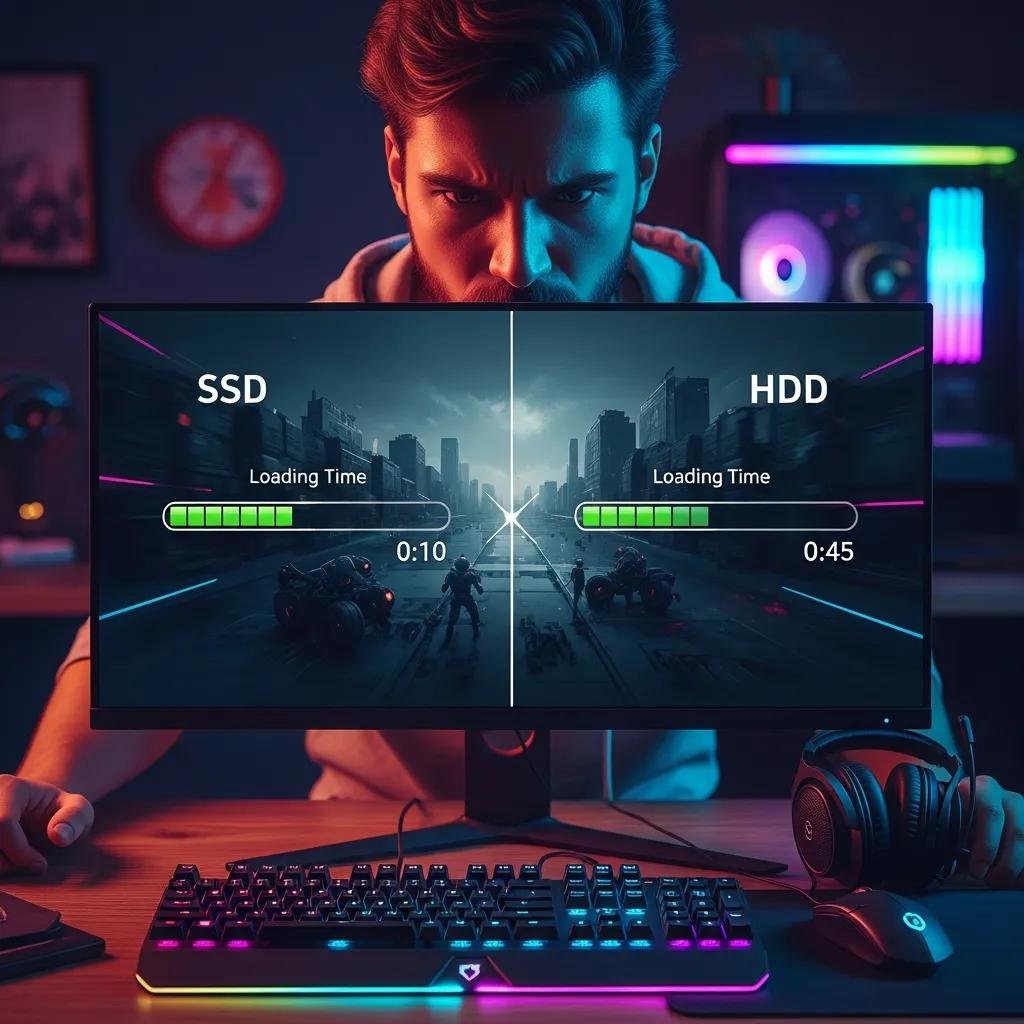
Faster SSD load times come from three core mechanisms: negligible seek time because there are no moving parts, much higher IOPS for small random reads, and faster controller-managed parallelism across NAND channels. These characteristics reduce latency for many small game asset reads such as textures and audio chunks, enabling the game engine to pull data quickly as needed. As a result, SSDs lessen queuing delays that can cause long waits when many files are loaded at once. Thinking of SSDs as high-throughput, low-latency caches for game assets helps explain why they often feel dramatically snappier in day-to-day gaming scenarios.
How Significant Are Load Time Differences in Popular Games?
Load-time differences vary by game design: linear, level-based titles show modest gains, while open-world and streaming-heavy games show the largest improvements with SSDs. For example, a linear game’s level load might drop from 20–30 seconds on an HDD to 5–10 seconds on an SSD, while an open-world title that streams assets continuously can reduce texture pop-in and lengthy streaming stalls. Recent game engines and DirectStorage-ready titles amplify SSD advantages because they can issue many small IO requests concurrently, making SSD characteristics especially valuable for future-proofing performance.
What Are the Gaming Performance Benefits of Using an SSD?
An SSD delivers several tangible gaming benefits that go beyond raw throughput and improve the overall play experience. Reduced load times and faster level transitions keep players in the action rather than waiting at load screens. Faster asset streaming reduces texture pop-in and stuttering when systems don’t throttle on storage IO. SSDs also improve general system responsiveness for tasks like installing, patching, and launching games, which shortens downtime between sessions. These benefits make SSDs a clear upgrade for gamers seeking smoother, more consistent gameplay.
Below is a concise list of primary gaming benefits SSDs provide and how each affects play.
- Reduced Load Times: Levels and scenes load noticeably faster, cutting waiting periods between matches or missions.
- Less Texture Pop-In: Faster streaming of textures and assets limits visible popping in open-world environments.
- Quicker System Responsiveness: Boot, patching, and launching times shrink, making the whole system feel faster and more immediate.
These improvements translate into a more immersive and less interrupted gaming experience, especially in titles that stream assets continuously.
Does SSD Storage Reduce In-Game Stuttering and Texture Pop-In?
SSDs reduce stutter and texture pop-in when storage IO is the limiting factor for asset streaming; low latency and high small-file IOPS let the engine fetch assets faster. However, if stutter stems from CPU or GPU bottlenecks, or insufficient RAM, an SSD will not solve those issues. Diagnostic cues that point to storage bottlenecks include long texture load pauses tied to map streaming and elevated disk activity during stutters. To fix storage-related stutter, prioritize installing active game files on an SSD and ensure drivers and firmware are up to date.
Can SSDs Improve FPS or Overall System Responsiveness?
SSDs rarely increase sustained FPS because frame rates are largely GPU/CPU-bound, but they improve perceived responsiveness by reducing hitching and pauses caused by on-demand asset loads. In scenarios where streaming-dependent frame drops occur, SSDs can smooth transient dips by delivering assets faster. For everyday responsiveness—loading screens, in-game transitions, and system tasks—SSDs consistently outperform HDDs and make interactions feel faster and more immediate.
Which Storage Type Is Best for Your Gaming PC: SSD, HDD, or Hybrid?
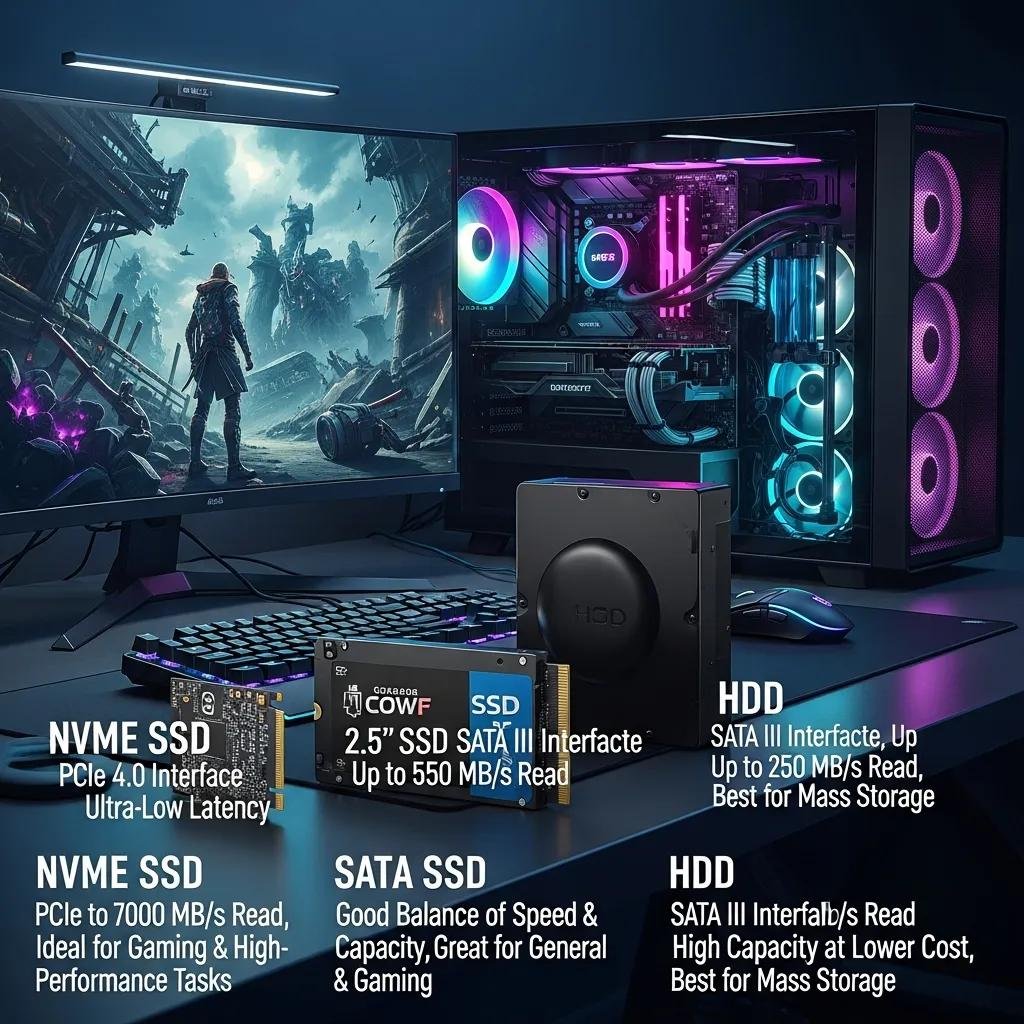
Choosing storage depends on budget, capacity needs, and whether you prioritize raw load speed or maximum storage for a large game library. NVMe SSDs offer the fastest load times and best future-proofing for DirectStorage-capable titles, while SATA SSDs provide solid improvement at lower cost. HDDs remain the best value per terabyte for storing large backups and seldom-played titles. Many gamers adopt a hybrid approach—SSD for OS and active games plus HDD for bulk storage—to balance cost and performance.
| Storage Type | Best Use Case | Pros | Cons |
|---|---|---|---|
| NVMe SSD | Performance-first gaming and active game library | Fastest load times and future-proof | Higher cost per GB |
| SATA SSD | Budget-conscious gamers needing speed | Good value and easy compatibility | Slower than NVMe |
| HDD | Mass storage for large libraries | Cheapest per TB | Slower loads and higher latency |
Below are three practical decision rules to match storage choices to typical gamers.
- Budget Gamer: Use a SATA SSD for the OS plus an HDD for mass storage to maximize capacity.
- Mid-Range Gamer: Combine a 1TB NVMe for active titles and an HDD for older or infrequently played games.
- Enthusiast: Prioritize NVMe capacity for as many active games as budget allows to minimize load times.
These configurations help balance cost per GB against gameplay responsiveness and loading behavior.
How Do Budget and Storage Capacity Influence Your Choice?
Cost-per-gigabyte drives whether you prioritize a fast NVMe for many games or a smaller SSD paired with a large HDD for archives. Gamers with massive libraries often benefit from an NVMe or SATA SSD for current-play titles and an HDD for older collections to reduce cost. For a balanced setup, allocate the fastest SSD space to the OS and 3–6 actively played titles, using bulk HDD storage for everything else. This mix keeps frequently accessed assets on low-latency media while preserving overall capacity.
What Are the Advantages of NVMe SSDs and Hybrid Storage Solutions?
NVMe SSDs use PCIe lanes to deliver far higher throughput and lower latency than SATA SSDs, which shortens load screens and speeds asset streaming in modern engines. Hybrid strategies—either SSHD or NVMe+HDD—let players keep top titles on fast media while storing larger, less-played games on cheaper platters. Be mindful of thermal and platform compatibility when selecting NVMe drives; ensure the motherboard and cooling allow sustained performance. Opting for an NVMe-first plan is the clearest path to the best load-time experience.
How Can mcHelper.com Optimize Your Gaming PC Storage Remotely?
mcHelper.com offers remote computer repair and tech support focused on improving system performance, resolving poor performance and system freezes, and optimizing storage configurations for gaming.
Their certified technicians can remotely diagnose storage IO and performance bottlenecks, recommend whether NVMe, SATA, or a hybrid layout best fits your budget and capacity needs, and outline the migration plan to place active games on faster media.
mcHelper.com emphasizes 24/7 availability and operates with a No Fix – No Fee guarantee to build trust for remote interventions.
mcHelper.com technicians provide targeted remote services that address storage-related gaming slowdowns and system responsiveness issues.
- Remote diagnostics and drive health checks: Identify IO bottlenecks and failing drives through telemetry and logs.
- Game and OS placement optimization: Move active games to SSDs and reorganize storage for fastest access.
- Driver and firmware updates plus tuning: Ensure controllers and firmware are current to maximize throughput.
These services help gamers reduce load times and texture streaming issues without local visits, and technicians validate improvements after migration.
What Remote Services Improve Gaming Load Times and Performance?
Remote services focus on measuring disk IO, analyzing which processes cause high latency, and checking drive health to rule out hardware degradation. Technicians will test read/write performance, identify oversized pagefiles or fragmentation issues, and verify that games and system files are located on the fastest available media. Expected outcomes include shorter load screens, fewer streaming hiccups, and a clearer mapping of which upgrades yield the best performance per dollar. This diagnostic-first approach ensures upgrades target real bottlenecks rather than guesswork.
How Does mcHelper.com Assist with SSD Upgrades and System Migration?
mcHelper.com assists remotely by first assessing your current storage layout and recommending specific upgrade types that match capacity and budget priorities. The remote process includes planning the migration path, guiding cloning or reinstall steps, and validating post-migration performance improvements to confirm load-time reductions. After migration, technicians tune system and game placement to sustain faster asset streaming. Their remote model aims to make SSD upgrades practical and verifiable while minimizing downtime.