McHelper's Unlimited Remote Tech Support & Proactive Maintenance
Reliable, always-on support for personal and small-business computers means fewer interruptions and simpler ownership of technology, and an annual tech support subscription provides exactly that: unlimited remote assistance plus proactive maintenance to reduce downtime. This article explains how an annual tech support subscription delivers continuous troubleshooting, scheduled tune-ups, security remediation, and predictable costs so you can focus on work or family instead of device problems. Readers will learn what core benefits such subscriptions deliver, how predictable pricing compares with hourly or in-house IT costs, what security and data-protection features are typical, and which users gain the most from an annual plan. We’ll examine availability models like 24/7 remote assistance, preventive maintenance tasks that improve performance, virus and malware removal workflows, and practical recovery and backup options. Along the way the article highlights real-world value examples and compares subscription coverage against common alternatives, using McHelper.com’s Annual Tech Support Subscription ($199.99) as a concrete exemplar of an annual support plan that bundles unlimited remote help with proactive services and a “No Fix – No Fee” promise. By the end you’ll understand how an annual remote support plan reduces surprises and preserves productivity.
What Are the Key Benefits of McHelper’s Annual Tech Support Subscription?
An annual tech support subscription is a bundled service that provides ongoing computer support and proactive maintenance to prevent recurring issues and maintain performance. The mechanism combines scheduled tune-ups, real-time troubleshooting via remote computer repair, and security scans to reduce failure rates and shorten mean time to repair, which directly lowers downtime and stress for users. This section outlines those benefits and illustrates what each delivers in practical terms before moving to detailed examples of availability and maintenance practices. Below are the core advantages typically included in annual remote support offerings.
- 24/7 remote assistance: continuous access to help desk experts to resolve software and connectivity problems quickly.
- Proactive maintenance: scheduled tune-ups and updates that reduce crashes and slowdowns.
- Security remediation: virus removal, malware scans, and follow-up verification to protect data.
These benefits create predictable outcomes—less downtime, fewer surprise repair bills, and smoother device performance—which leads directly into how 24/7 coverage functions in practice.
McHelper.com’s Annual Tech Support Subscription exemplifies this model by packaging unlimited remote assistance, proactive maintenance, and security features into a single annual plan priced at $199.99, providing a clear example of how subscription billing simplifies support access.
| Benefit Area | Mechanism | User Result |
|---|---|---|
| Availability | 24/7 remote help desk access | Faster response, reduced downtime |
| Maintenance | Scheduled tune-ups and updates | Improved performance and fewer incidents |
| Security | Regular scans and remediation | Lower infection risk and safer data |
This breakdown shows how bundled services convert technical activities into measurable user outcomes and sets the stage for cost comparisons versus traditional support.
How Does 24/7 Unlimited Tech Help Provide Continuous Support?
“24/7 unlimited tech help” means users can request remote computer repair and troubleshooting at any time, with technicians available around the clock to diagnose software issues and guide fixes. Typical response workflows start with a triage call or chat to identify the problem, followed by a secure remote session where technicians perform real-time troubleshooting, apply patches, or roll back problematic updates. Common issues resolved remotely include slow system performance, application crashes, network connectivity problems, and software configuration errors. While hardware repairs that require physical replacement are outside remote scope, most software and configuration problems are handled without an onsite visit, which shortens downtime and restores productivity quickly.
This uninterrupted access model transitions naturally to proactive maintenance practices that prevent many of the issues users call about in the first place.
In What Ways Does Proactive Computer Maintenance Enhance Performance?
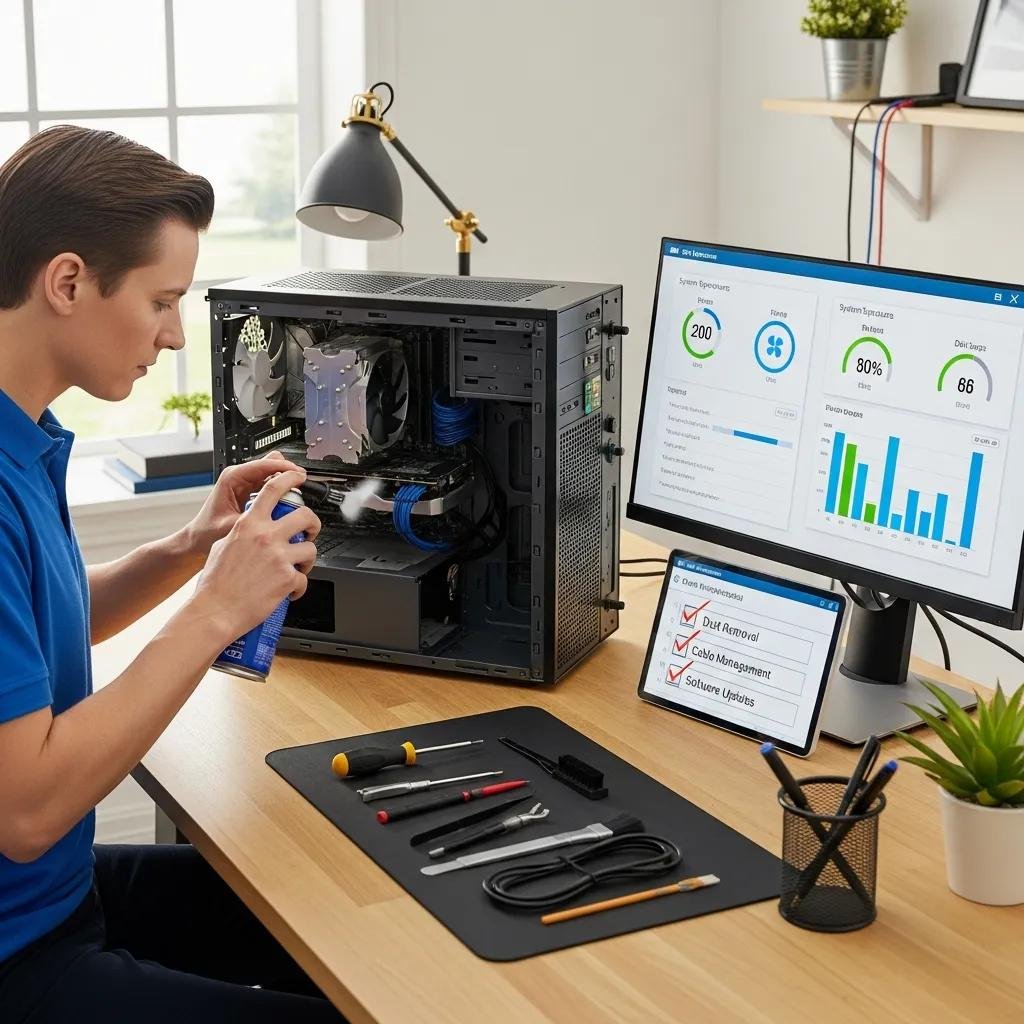
Proactive computer maintenance includes scheduled tasks such as system updates, disk cleanup, driver checks, startup optimization, and routine security scans that together reduce the likelihood of slowdowns and crashes. These preventive measures work because they address common root causes—outdated drivers, fragmented caches, and unpatched vulnerabilities—before they escalate into support incidents. For example, routine tune-ups can improve boot times and application responsiveness, while timely security scans catch infections early and limit damage. Recommended cadence typically ranges from monthly to quarterly, depending on usage, and consistent maintenance often correlates with fewer support tickets and longer device lifespans.
Understanding these maintenance tasks clarifies how predictable cost models provide financial peace of mind compared with pay-as-you-go repairs.
How Does McHelper’s Subscription Offer Cost-Effective Peace of Mind?
A fixed annual support plan converts unpredictable repair expenses into a single predictable cost, which simplifies budgeting and reduces the financial risk of routine and emergency repairs. The core mechanism is subscription billing: one annual payment covers unlimited remote assistance and many proactive services, which contrasts with variable hourly rates and ad-hoc repairs that can quickly add up. Included in subscription offers like McHelper.com’s Annual Tech Support Subscription is often a consumer-friendly “No Fix – No Fee” assurance, which lowers upfront risk and increases confidence that expenditures buy resolved issues rather than unanswered invoices. Below is a compact cost comparison to illustrate typical differences.
| Option | Cost/year (illustrative) | Predictability | Typical Coverage |
|---|---|---|---|
| Annual subscription | $199.99 | High | Unlimited remote support, proactive maintenance |
| Hourly repair (estimate) | $300–$1,200 | Low | Per-incident charges, variable response |
| In-house IT (part-time) | $2,000+ | Medium | Limited hours, benefits/admin overhead |
- Break-even analysis: If a typical hourly repair is $99 and you need three or more incidents per year, an annual $199.99 plan pays for itself.
- Indirect savings: Reduced downtime and faster fixes protect billable hours and personal time.
- Risk reduction: “No Fix – No Fee” removes the cost of unsuccessful attempts, making outcomes more valuable than hourly experiments.
These comparisons show why a fixed annual plan simplifies expenses and why many users prefer predictable support over ad-hoc spending, which leads into practical bookkeeping and administrative benefits of a single annual invoice.
What Savings Can You Expect Compared to Hourly or In-House IT Services?
A straightforward savings example helps: at an hourly shop rate of roughly $99–$150 per visit, two or three fixes escalate costs beyond a single annual subscription, while additional benefits like proactive maintenance reduce incident frequency and amplify savings. Beyond direct labor comparisons, subscriptions avoid hidden administrative costs of hiring, scheduling, and managing an in-house tech or repeatedly authorizing repair work. Small businesses often find that predictable annual fees simplify accounting and free internal staff for revenue-generating tasks rather than troubleshooting. The same math applies for households with multiple devices, where aggregated hourly repairs create higher total spend than one comprehensive plan.
This practical cost comparison frames the final point: administrative simplicity and planning advantages that an annual plan affords.
How Does a Fixed Annual Plan Simplify Tech Support Expenses?
A fixed annual plan streamlines vendor management by replacing multiple invoices and purchase orders with a single predictable charge, which eases bookkeeping and reduces procurement friction. For non-technical users, this simplicity translates into fewer decisions when problems occur—no need to shop for hourly help or estimate repair costs mid-crisis. For small businesses, predictable support costs enable clearer budgeting, simpler expense reporting, and consistent service-level expectations without the overhead of recruiting or training internal IT staff. A short checklist for ROI tracking includes incident count, average downtime per incident, repair cost avoided, and employee-hours recovered.
| Comparison | Attribute | Value |
|---|---|---|
| Annual plan ($199.99) | Billing model | Single predictable payment |
| Hourly repairs | Billing model | Variable per incident, unpredictable |
| In-house IT | Billing model | Fixed employment costs plus overhead |
This comparison highlights how subscription billing reduces accounting complexity and supports predictable planning for both individuals and small teams.
What Security and Data Protection Features Are Included in the Subscription?

Security and data protection in an annual tech support subscription typically bundle regular virus and malware detection/removal, backup and data recovery options, and secure remote access practices that protect credentials and privacy. These features operate together: proactive scans identify threats, remediation routines remove infections, and backup strategies preserve data so recovery is possible after a compromise. The outcome is reduced data-loss risk and faster recovery timelines, which enhances both security posture and business continuity for users. Below is a concise list of typical security components included in comprehensive plans.
- Virus and malware removal: detection, isolation, and remediation workflows to eradicate threats.
- Backup and recovery: scheduled backups (local or cloud) and restoration procedures for lost files.
- Secure remote sessions: encrypted access and privacy safeguards during remote repairs.
Following these practices ensures that remediation not only clears infections but also restores systems to a trusted state, which leads to a closer look at the malware removal process and recovery timelines.
| Security Feature | What It Protects | When Used |
|---|---|---|
| Malware removal | System integrity and privacy | On detection of infection or suspicious behavior |
| Backup & recovery | User files and system states | Before major updates or after data loss events |
| Secure remote access | Credentials and session privacy | During any remote troubleshooting |
This table clarifies which features address which risks and when they are typically applied, reinforcing how a subscription can integrate protection into regular maintenance.
How Does McHelper Provide Comprehensive Virus and Malware Removal?
A robust malware removal workflow begins with detection—routine scans or incident-driven analysis—to identify malicious files, followed by secure isolation and removal procedures and post-removal verification scans to confirm system integrity. Effective remote remediation also includes follow-up hardening: applying patches, removing persistence mechanisms, and advising on credential resets where necessary. When remote tools cannot remediate hardware-level compromise or deeply entrenched rootkits, technicians will recommend onsite or specialized recovery, but most user-level infections are resolvable remotely, restoring a device to normal operation quickly. These remediation steps reduce recurrence when paired with proactive maintenance and user guidance.
Understanding removal mechanics helps when assessing data recovery options and backup strategies included in annual plans.
What Data Recovery and Backup Solutions Ensure Your Information Is Safe?
Backup and recovery options vary from scheduled local image backups to cloud-based file backups; an effective strategy uses multiple copies and periodic verification to ensure recoverability. Recovery scenarios range from restoring individual files after accidental deletion to full system restoration after a ransomware event, with expected timelines dependent on backup size and bandwidth—simple file restores can take minutes, full image restores can take hours. Recommended cadence often includes daily file-level backups and weekly system images for most users, with verification checks to confirm integrity. Regular testing and clear recovery steps ensure that when data loss occurs, restoration is prompt and reliable.
These protections make subscription plans not just reactive but resilient, which leads into who gains the most from ongoing support.
Who Benefits Most from McHelper’s Annual Tech Support Subscription?
Annual tech support subscriptions serve a range of users by converting unpredictable technical problems into predictable support outcomes; the primary beneficiaries include individual users, small businesses, remote workers, and households with mixed device ecosystems. The mechanism of continuous remote assistance combined with proactive maintenance maps to common needs: individuals get fast fixes for personal devices, small businesses gain affordable IT coverage without hiring staff, and remote workers recover productivity quickly after issues. The following persona-style list shows typical use cases and how subscription elements apply in each case.
- Individuals: predictable support for home devices, quick remote fixes, and simplified billing.
- Small businesses: cost-effective coverage without full-time IT, predictable budgeting, and emergency support.
- Remote workers: rapid remote computer repair to minimize lost work time and maintain secure access.
Each persona benefits from the same core services—24/7 remote assistance, proactive maintenance, and security remediation—which naturally supports cross-platform households and varied device fleets.
Why Is This Plan Ideal for Both Mac and Windows Users?
Cross-platform subscriptions provide equal support coverage for Mac support and Windows support by employing technicians trained to diagnose OS-specific issues like macOS update conflicts or Windows driver problems. Typical Mac-specific help includes assistance with OS updates, application compatibility, and browser issues, while Windows support often focuses on driver updates, Windows Update management, and system file repair. Treating OS differences as part of the same support framework reduces friction in mixed-device households, letting one subscription address multiple platforms with consistent response processes. This parity ensures users receive appropriate fixes regardless of operating system, which leads into concrete examples of value for different user segments.
How Does the Subscription Support Individuals, Small Businesses, and Remote Workers?
Concrete vignettes illustrate typical outcomes: an individual recovers accidentally deleted photos through a quick backup restore; a small business avoids hours of downtime when a remote worker’s machine is restored within an hour; a remote employee regains secure VPN access after a prompt configuration fix. These short examples show how predictable access to remote help and scheduled maintenance translate into avoided productivity losses and simpler technical decisions. Tracking incident counts and recovery times provides measurable ROI and demonstrates how an annual remote support subscription preserves continuity and reduces friction for everyday technology use.